
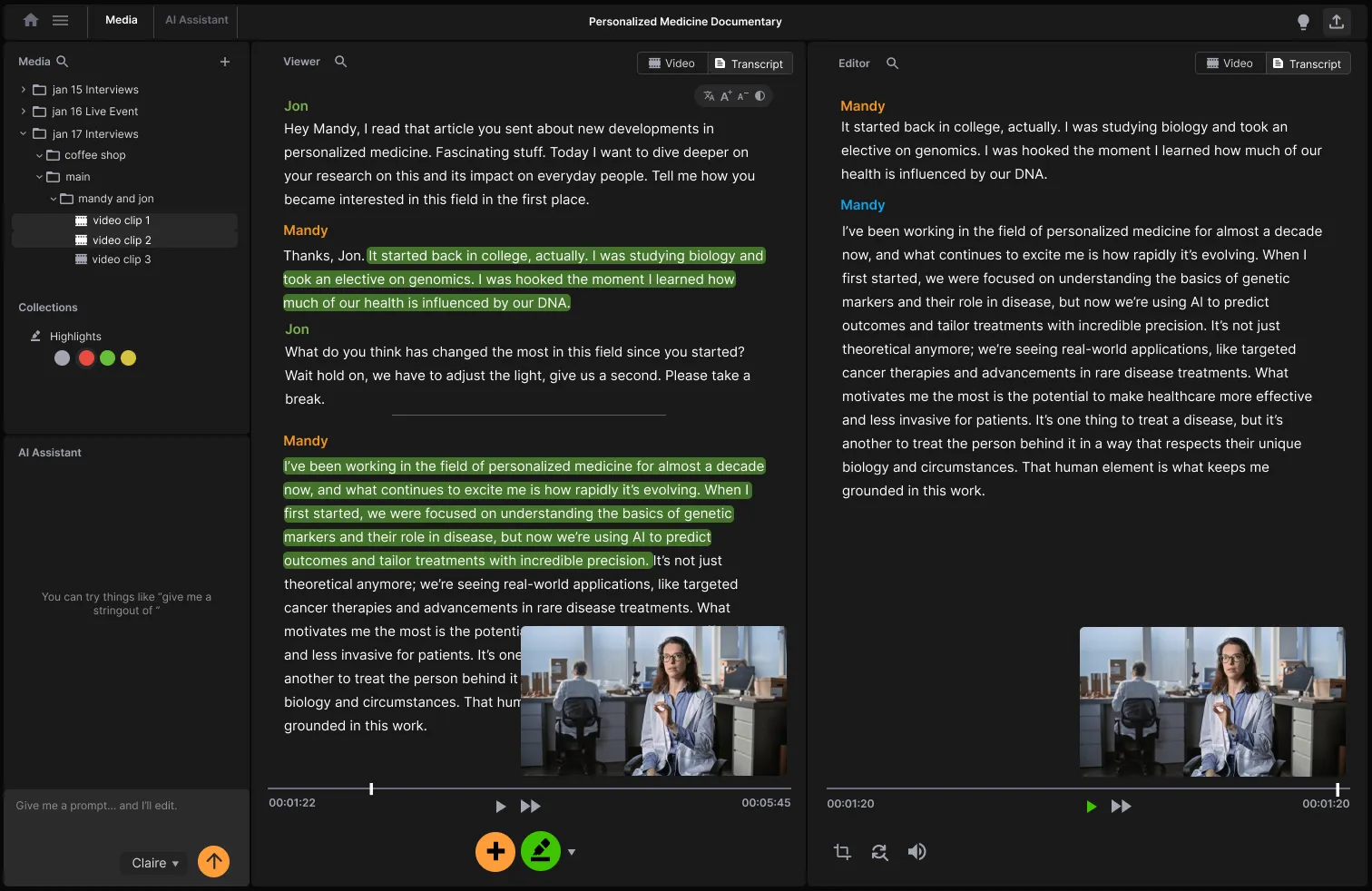
The Transcription Tool I Always Wished Existed
As an ex-VICE and Discovery producer/editor, I transcribed videos into transcripts for about ten years: by hand, with human transcription services, and increasingly with AI.
I laid out a dream list of what the perfect transcription tool for video post-production should be.
Drag, Drop, Done
Drop in your videos, and transcription begins. No selecting languages, no settings, no friction, no BS. Just do it.
Many editing teams deal with hundreds, even thousands of clips at a time. Don’t give them more homework to fill in your boxes: “Select your language, select your industry… is it American English, British English, or maybe Australian?”
Just get it done.
Mixed Languages
What’s up with transcription services needing a babysitter? Some poor producer or assistant editor forced to manually flag “this part’s Spanish, here’s English…”?
Take a Rosetta Stone course. Auto-detect the language switches. Just. Figure. It. Out.
Easy Transcript Corrections & Speaker Labels
Transcription will never be 100% accurate. And that’s OK. Give people an easy way to edit for themselves, change words and speaker names. And make it look good.
Good speaker detection is a prerequisite, but it needs to have a good speaker labeling system.
Collaborate & Highlight System
Reading and marking transcripts is a team sport — but getting notes from a director, network exec, and three producers means 17 versions of the same transcript, marked up in Word docs, PDFs, and Whatsapp voice messages.
What if the transcription app just… handled that chaos?
What if you can share a link and invite Collaborators mark and comment the transcript all in one place, where they can actually see the video.
Playback System
Double click any word to start playing the video. Drag the playhead anywhere to see the word. Clarity all around.
Timecode should be accurate, and actually put to use in a playback system.
Translation System
For video production, especially international projects (frequent in documentary or unscripted content), translation isn’t just a convenience. It’s a necessity. But translation needs to happen within the transcription app because it must stay in sync with the video.
“Show me everything in English…”, and instantly view and highlight the English transcript. Meanwhile, a collaborator viewing in Japanese or Spanish doesn’t waste time relocating the same line.
This removes friction. Producers, editors, and execs work smoothly across language barriers, all seeing the same content, in their language.
Subtitle System
Subtitles are just the flip side of transcription, so why are they not treated as such? Generate SRTs (or ASS, STL, a clear ProRes with just subs, you name it) directly from the transcript.
While we’re at it: auto-translate subtitles according to user’s needs as well.
What’s Your Dream Feature for Transcription?
What’s the one transcription feature you’ve always wanted but never found? What are your must-haves? What’s transcription app do you currently use for your indie docs or true crime documentaries?
Keywords: Descript alternative for filmmakers, Otter.ai vs. ChatCut for video transcription, Rev transcription alternatives, Adobe Premiere transcription, DaVinci Resolve transcription workflow
Conclusion
The perfect transcription tool for documentary and podcast editing should eliminate friction, handle complexity automatically, and enable smooth collaboration. We’re getting closer to this vision with each advancement in AI and collaborative technology. For more on how transcript-based editing works in practice, see our post on the paper edit masterclass, and read about how ChatCut uses LLMs for documentary editing. Also check out our take on editing interview footage.